When parents help pay, everyone knows the plan.
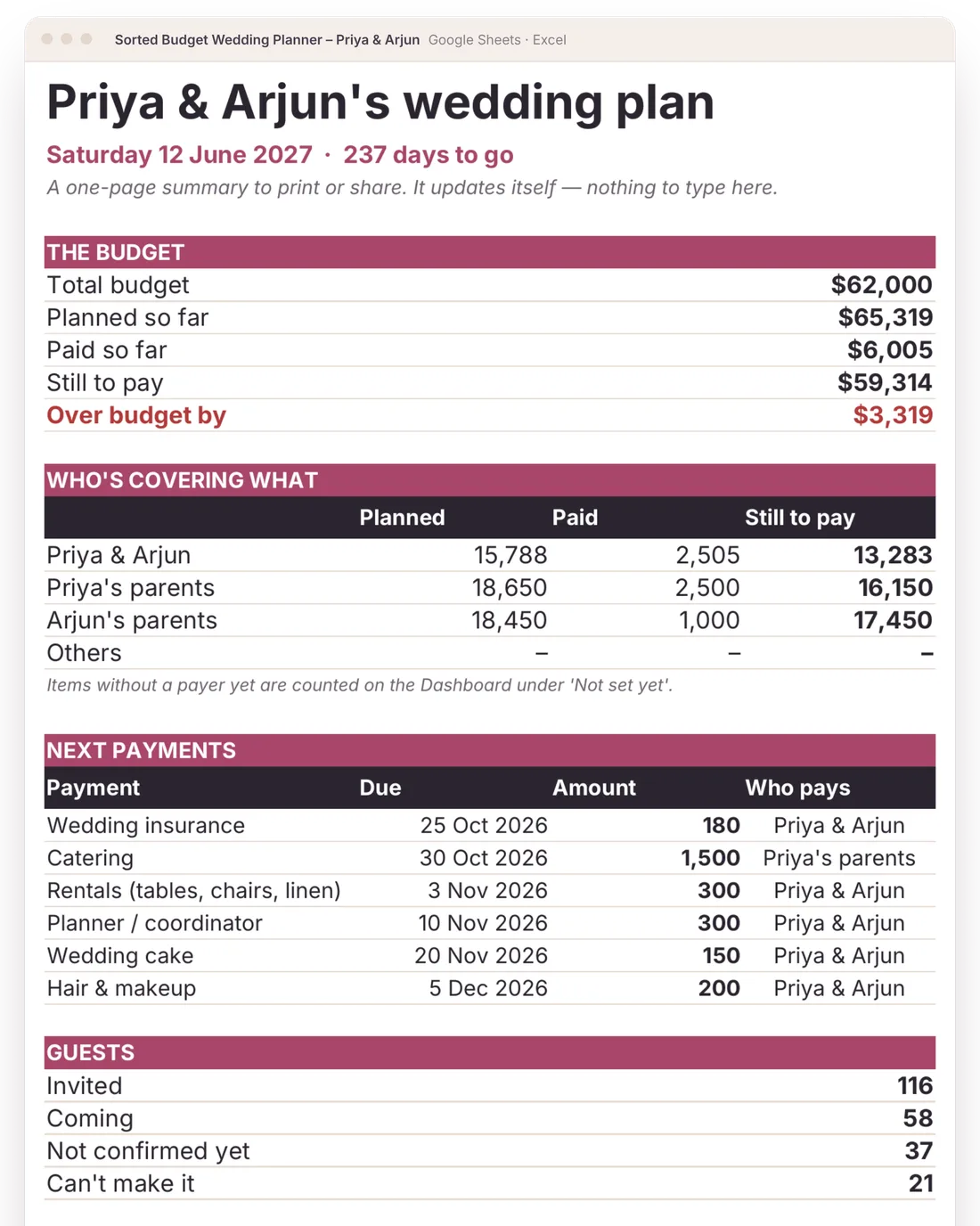
Put a name on every cost: you, your parents, their parents. Each family sees what they’ve planned, paid and still owe, and you can print a one-page summary they’ll actually read.
What it does for families sharing the cost
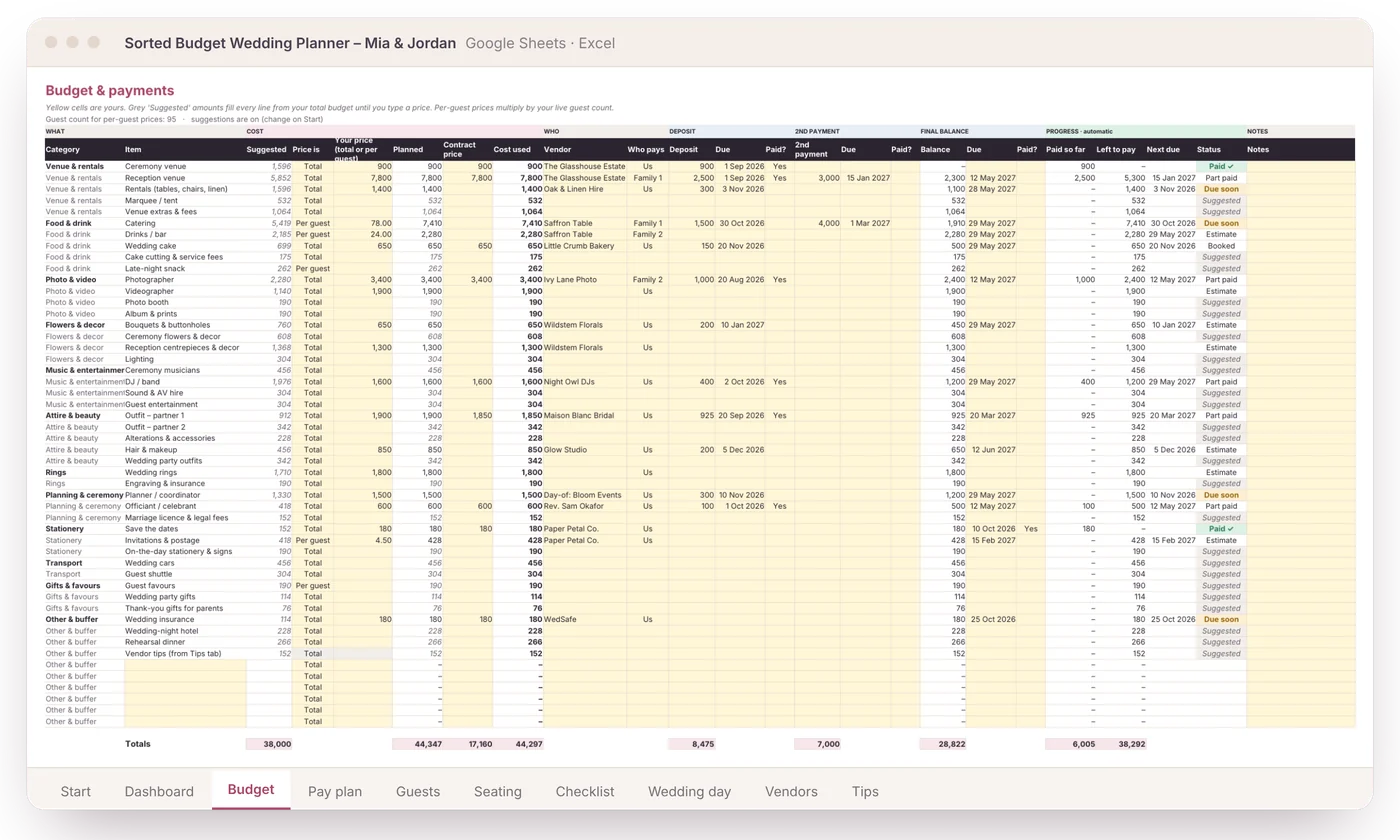
A name on every line
Who pays: you, Family 1, Family 2 or others. Name the families once on Start and their names show everywhere.
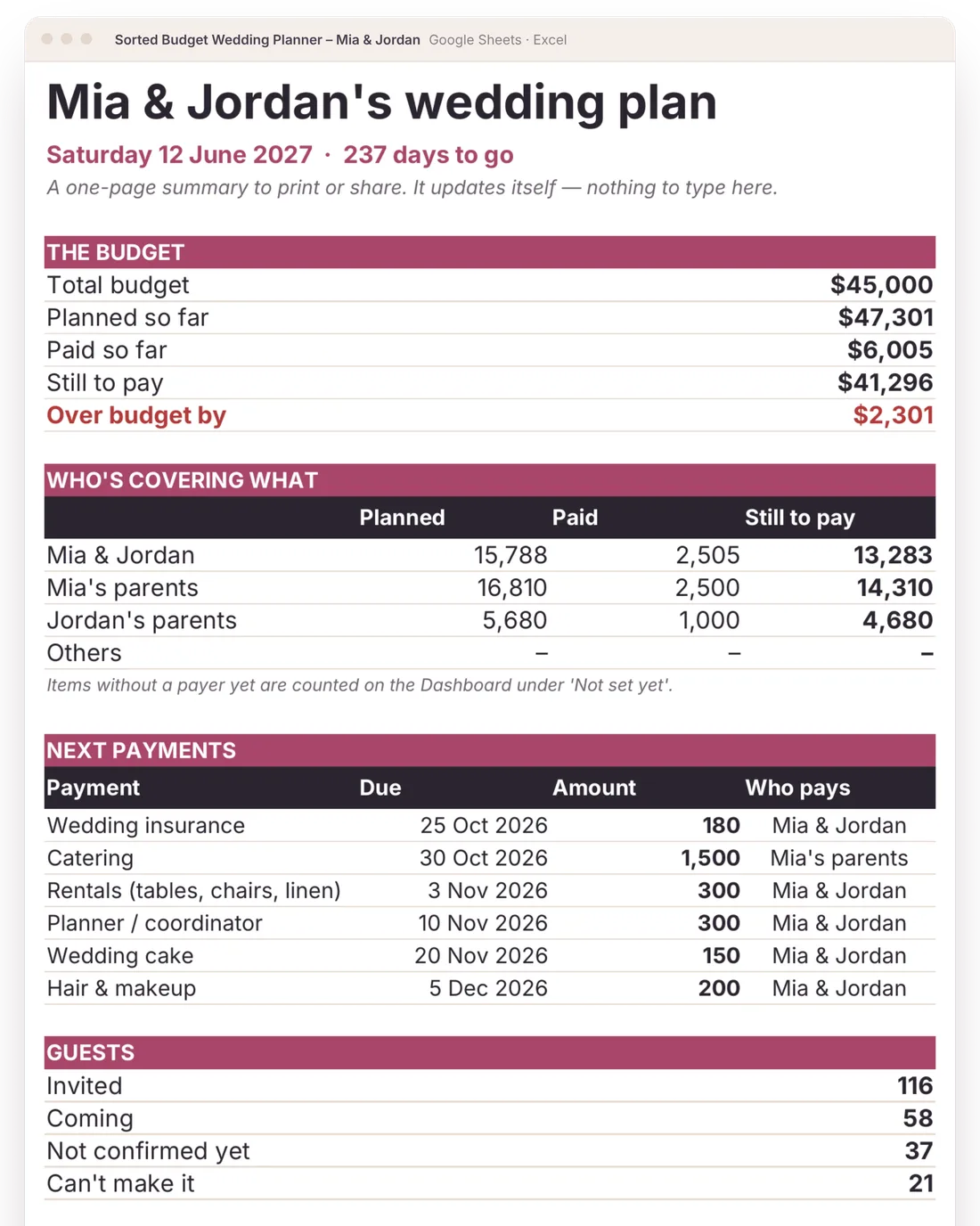
The For family page
Budget, who’s covering what, the next six payments and guest numbers on one printable page. It updates itself.
No awkward sums
Planned, paid and still to pay for each family, worked out for you.
Next payments, with names
Who needs to pay what, and when, so nobody is chasing anybody.
Money talk with family is easier when everyone is looking at the same page.
Five steps. Most of it fills itself in.
Shown with a fictional couple. You only ever type in the yellow cells.
- 1
Type your budget and guest count
Every line on the Budget tab gets a suggested amount from a typical wedding split. No quotes yet? You still have a full plan on day one.
You type: 2 numbers · It does: 50 budget lines priced
- 2
Add guests and RSVPs
Mark catering and drinks as “per guest” and they multiply by your live head-count. Three people say no and the total drops by itself. Tag a B-list to see what it costs before invitations go out.
You type: Yes / No · It does: head-count, catering, bar, total, B-list savings
- 3
Add deposits and due dates
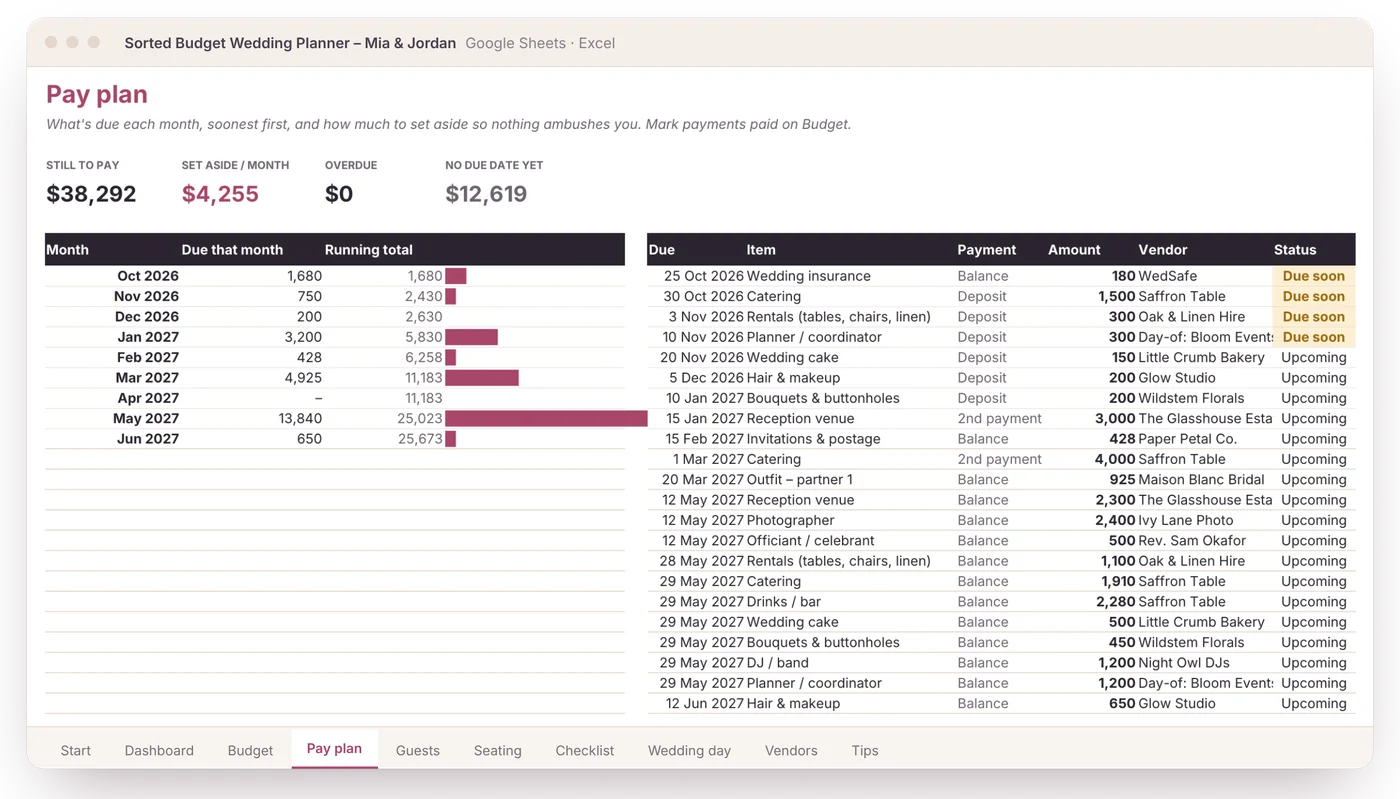
As you book, add each deposit, second payment and balance. The Pay plan lists them by month, flags what’s due soon and tells you how much to set aside each month.
You type: amounts and dates · It does: a month-by-month pay plan and a set-aside figure
- 4
Type a table number
Give each guest a table on the guest list. The seating chart builds itself and shows who sits where, free seats and who still needs a seat.
You type: a number per guest · It does: the whole seating chart
- 5
Open the Dashboard
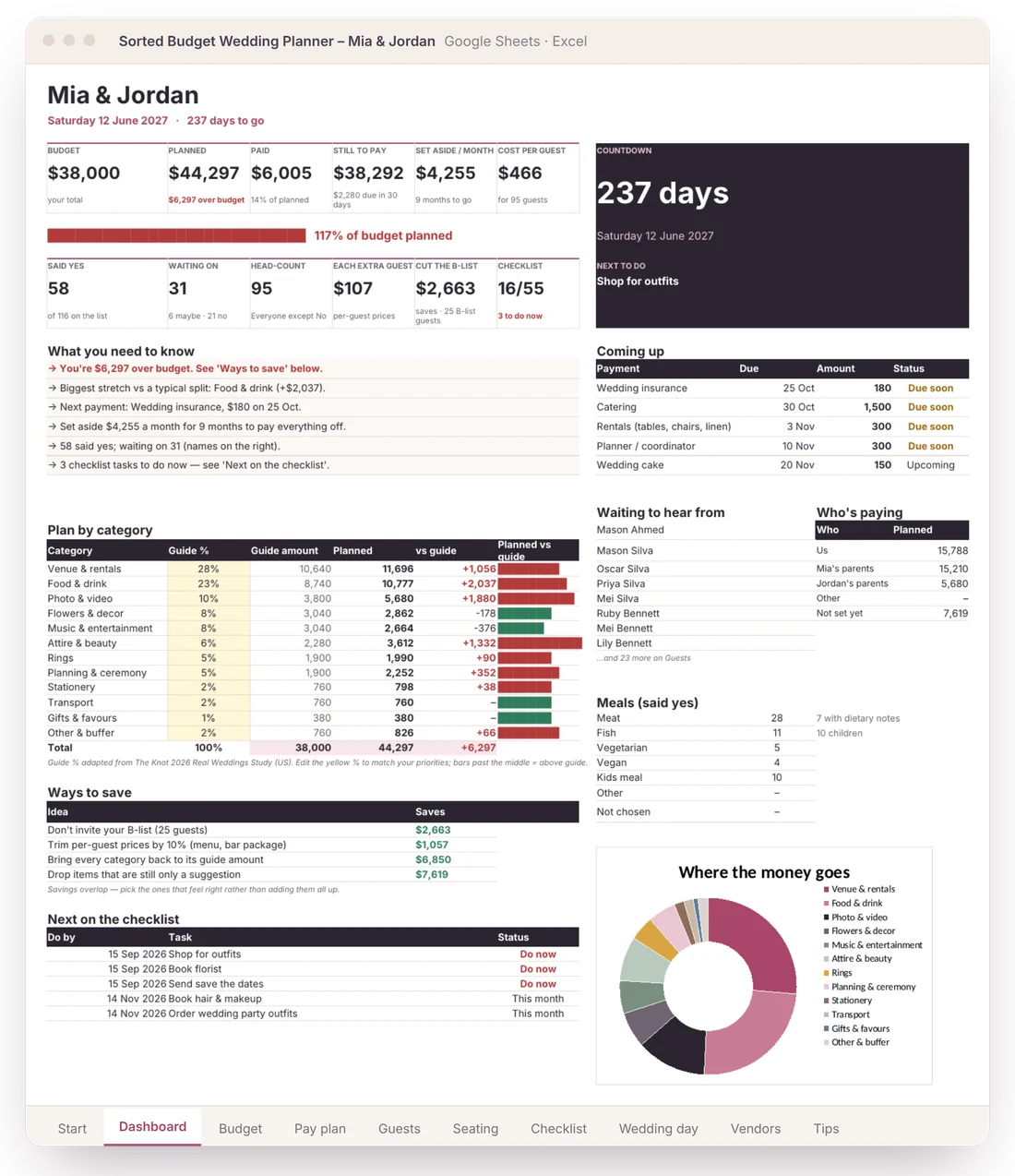
Budget vs planned, cost per guest, what’s due next, who hasn’t replied and who’s paying, plus plain-English notes: how far over budget you are, and the quickest ways to fix it.
You type: nothing · It does: your to-do list, in plain English
Real screens, shown with fictional couples
Shown with a fictional couple. Your copy starts blank.
Pick your planner
The wedding budget & planner
- Google Sheets copy + Excel file
- 12 tabs: Start, Dashboard, For family, Budget, Pay plan, Guests, Events, Seating, Checklist, Wedding day, Vendors, Tips
- Set up in about 5 minutes
- Any currency, any date format
- Printable gift card if it’s a present
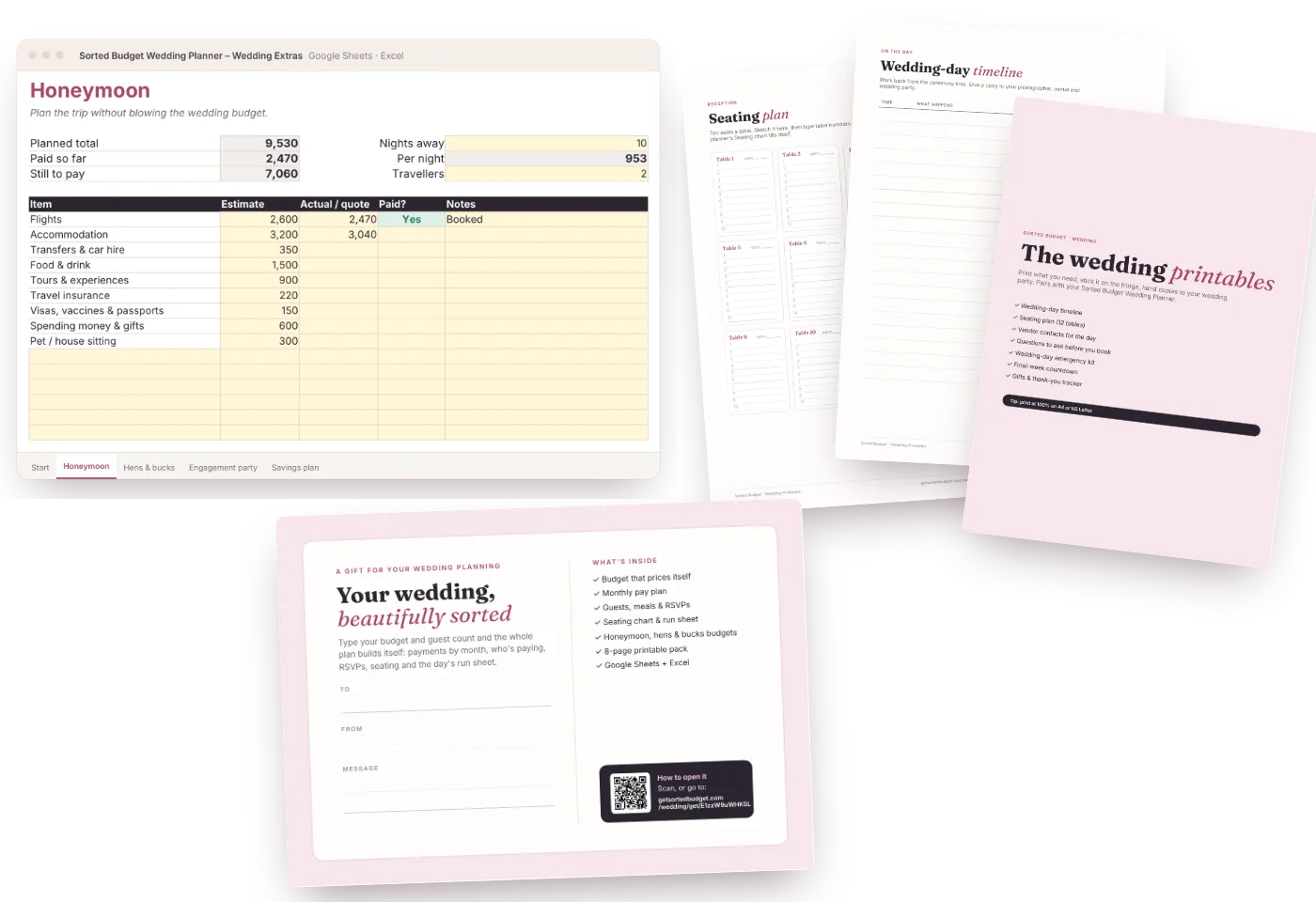
Planner, plus the budgets around the wedding and a printable pack
- Everything in the Planner
- Extras workbook: honeymoon, hens & bucks, engagement party, savings plan
- 8-page printable pack: day-of timeline, seating plan, vendor contacts, questions to ask, emergency kit, final week, gifts & thank-yous
- Printable gift card
Secure checkout by Stripe. Instant download. 30-day fix-it-or-refund guarantee.
Questions
Can our parents see it without changing anything?
Yes. Share the Google Sheet as view-only, or print the For family tab. It shows totals and payments, not every line.
We have more than two families helping.
Use Us, Family 1, Family 2 and Other. Put a note in the Notes column to say who ‘Other’ is for each item.
Can each family pay for a different event?
Yes. Set Who pays on each line, including each event on the Events tab.
Is this a Google Sheet or an Excel file?
Both are included. You get a Google Sheets version (it goes into your own Google Drive) and an Excel file for Excel on Windows or Mac. Plain formulas only: no macros, scripts or add-ons.
How long does it take to set up?
About 5 minutes to a first plan. Type your names, date, budget and guest count on the Start tab and every budget line gets a suggested amount. Add guests and real prices as you go.