Small wedding. Big clarity.
Twenty guests or just the two of you. Type your budget and guest count and every line is priced for a wedding your size, so the money goes on what you love, not on guesswork.
What it does for small weddings & elopements
Sized to you
Per-guest costs follow your real head-count, so a 30-person lunch isn’t budgeted like a 150-person reception.
Spend on what matters
More on the photographer, less on the venue? Change the guide split and every suggestion rebalances.
Elopement costs covered
Licence, celebrant, photographer, travel and a long dinner after, all on one list.
Every payment, in order
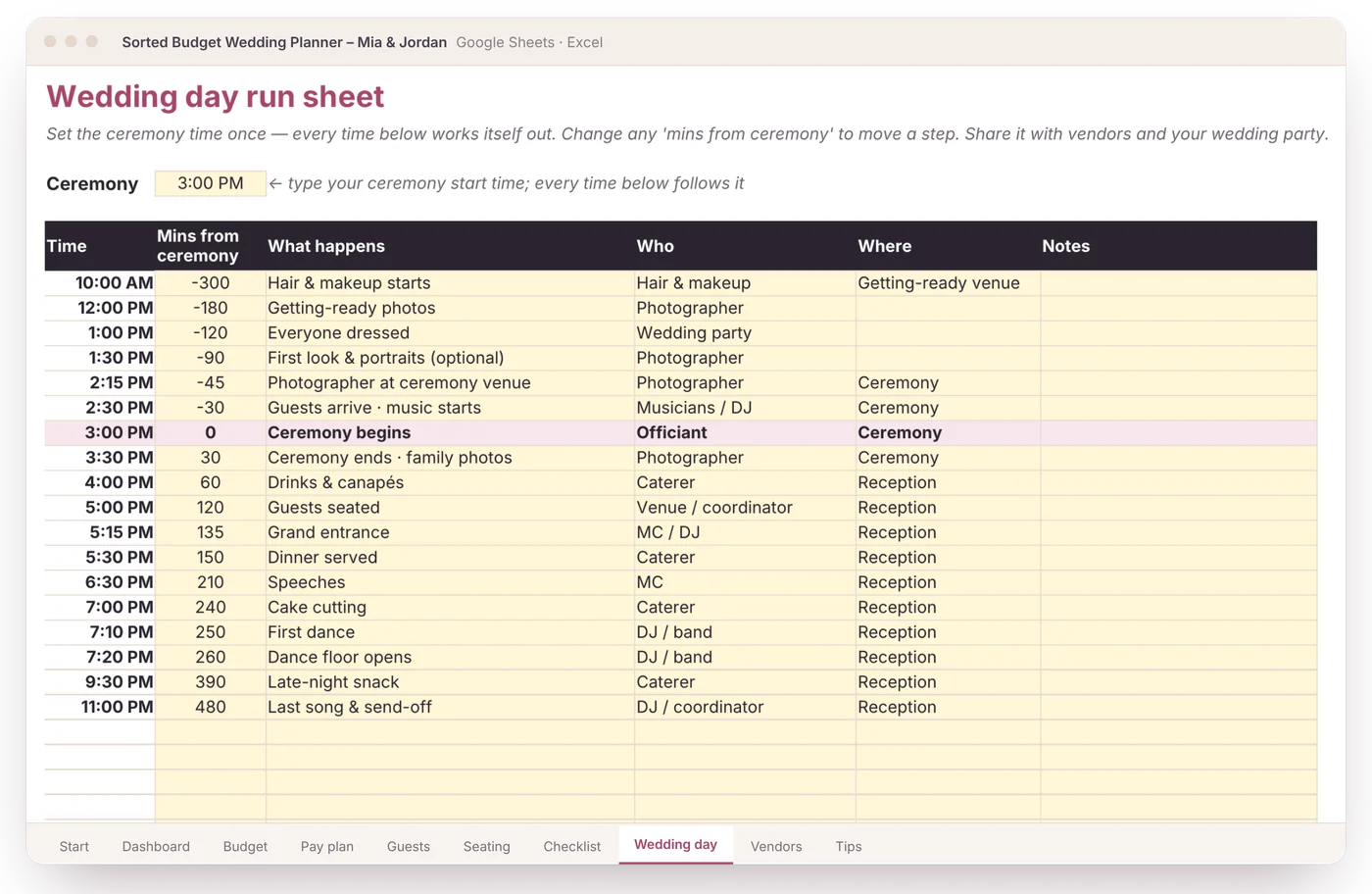
The pay plan lists what’s due each month and how much to put aside.
No rows you’ll never use, no app nagging you. Just your wedding, your numbers and a calm sense that it all adds up.
Five steps. Most of it fills itself in.
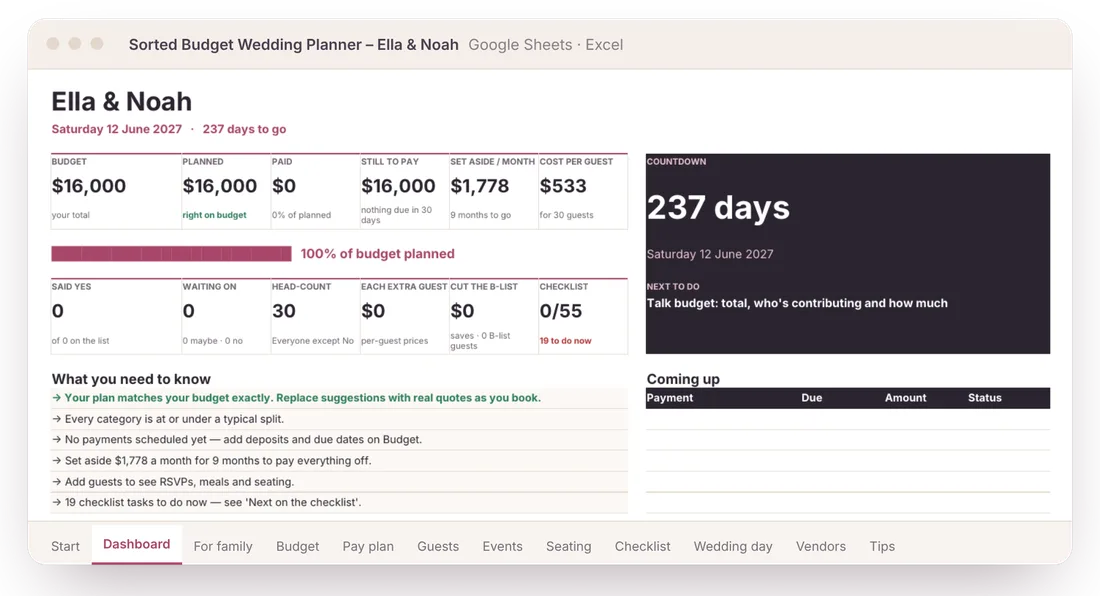
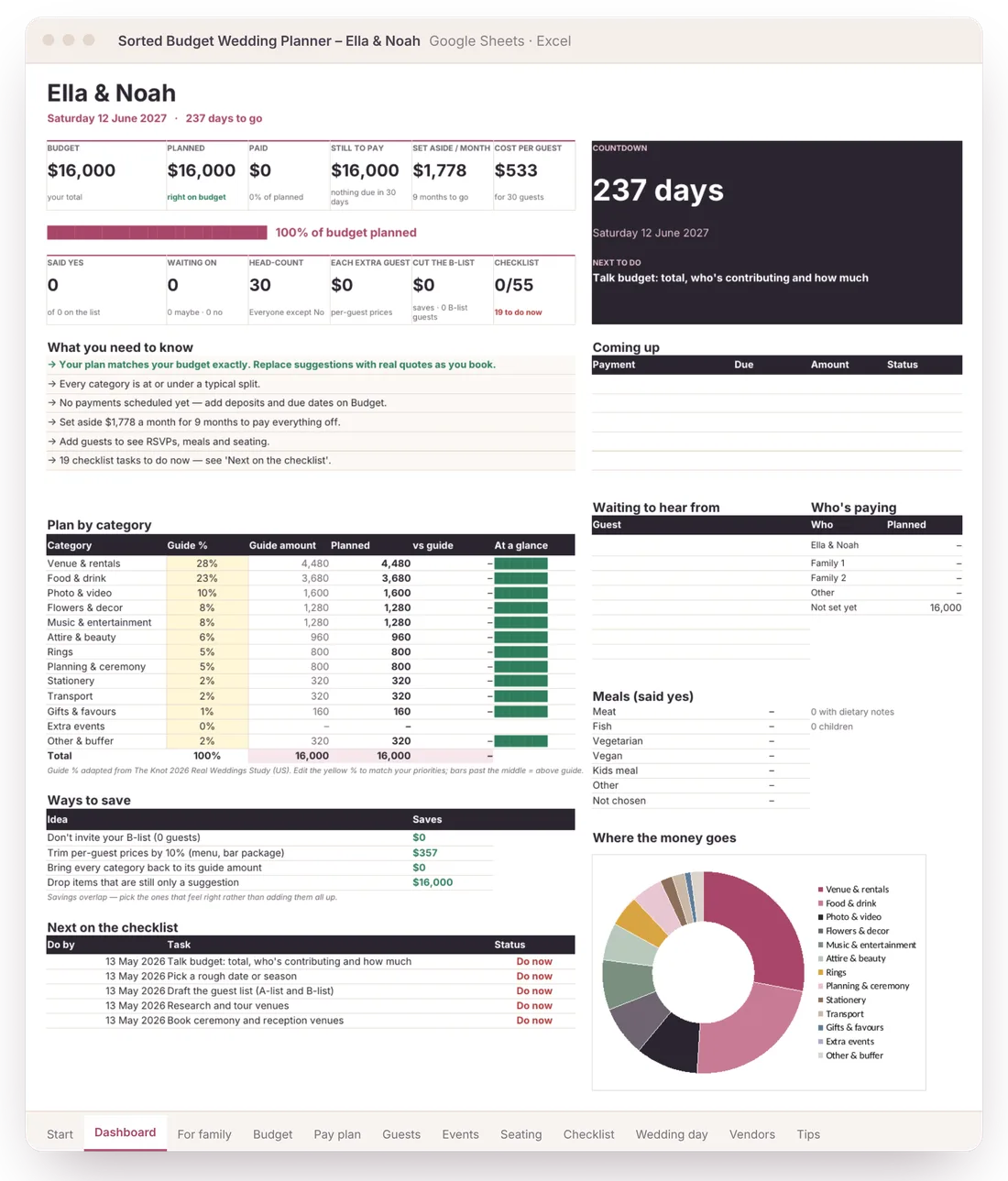
Shown with a fictional couple. You only ever type in the yellow cells.
- 1
Type your budget and guest count
Every line on the Budget tab gets a suggested amount from a typical wedding split. No quotes yet? You still have a full plan on day one.
You type: 2 numbers · It does: 50 budget lines priced
- 2
Add guests and RSVPs
Mark catering and drinks as “per guest” and they multiply by your live head-count. Three people say no and the total drops by itself. Tag a B-list to see what it costs before invitations go out.
You type: Yes / No · It does: head-count, catering, bar, total, B-list savings
- 3
Add deposits and due dates
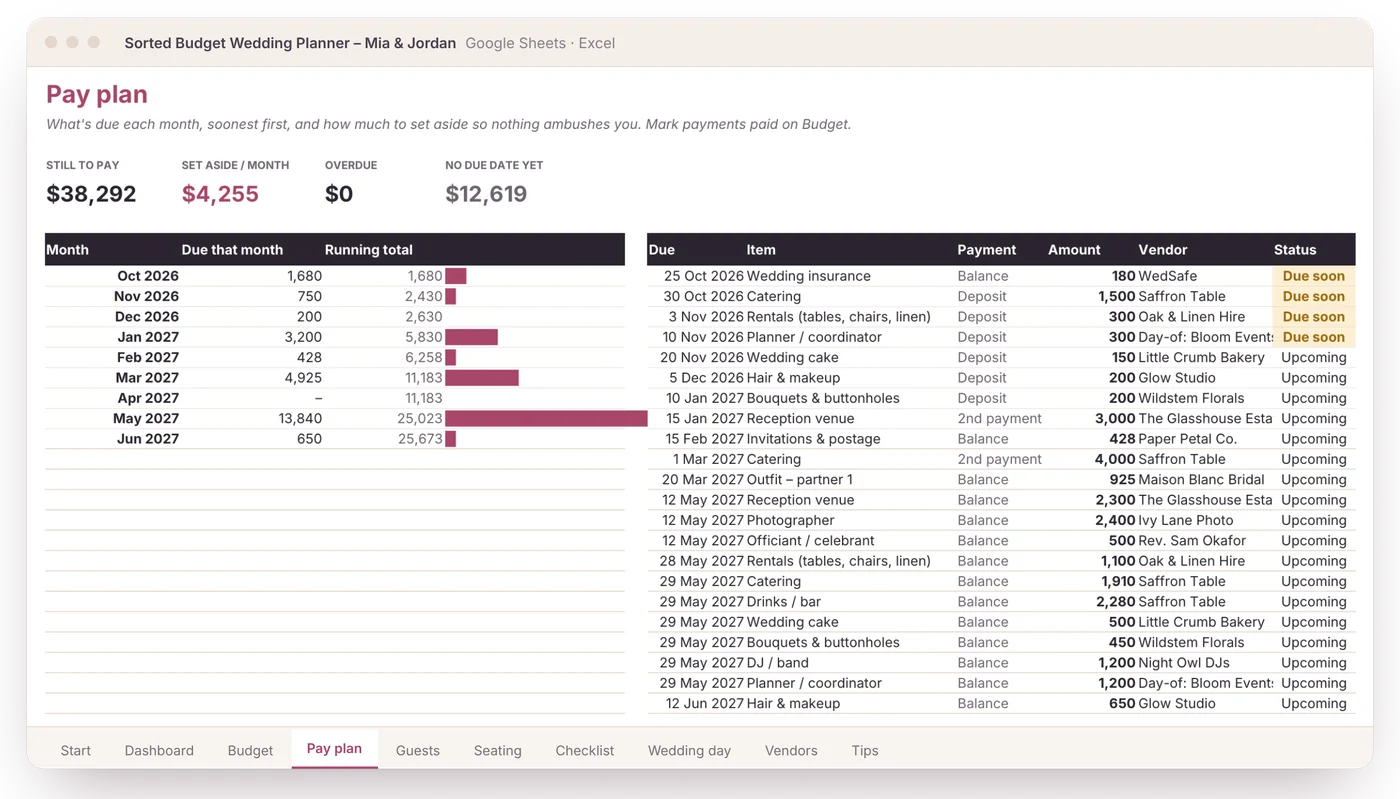
As you book, add each deposit, second payment and balance. The Pay plan lists them by month, flags what’s due soon and tells you how much to set aside each month.
You type: amounts and dates · It does: a month-by-month pay plan and a set-aside figure
- 4
Type a table number
Give each guest a table on the guest list. The seating chart builds itself and shows who sits where, free seats and who still needs a seat.
You type: a number per guest · It does: the whole seating chart
- 5
Open the Dashboard
Budget vs planned, cost per guest, what’s due next, who hasn’t replied and who’s paying, plus plain-English notes: how far over budget you are, and the quickest ways to fix it.
You type: nothing · It does: your to-do list, in plain English
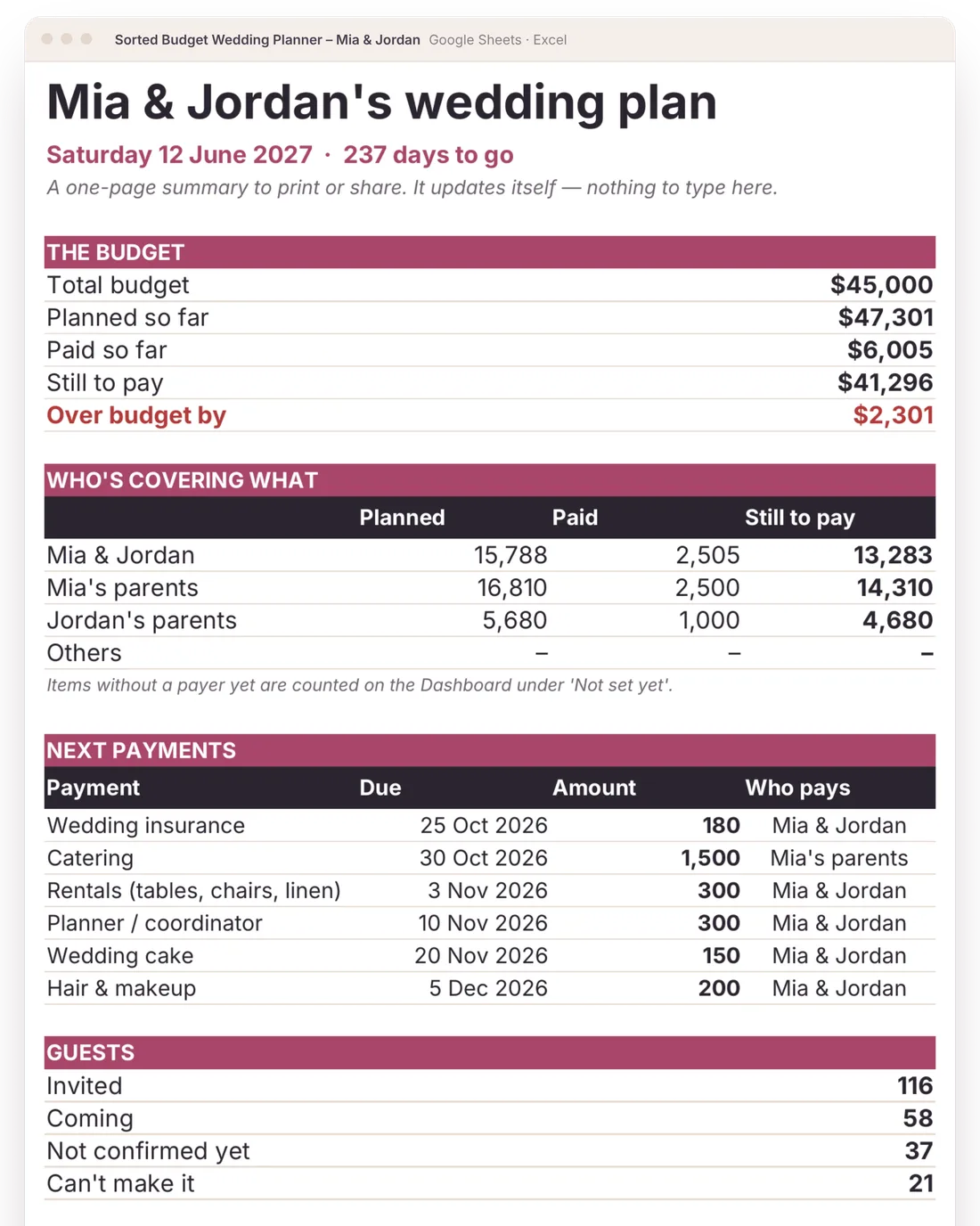
Real screens, shown with fictional couples
Shown with a fictional couple. Your copy starts blank.
Pick your planner
The wedding budget & planner
- Google Sheets copy + Excel file
- 12 tabs: Start, Dashboard, For family, Budget, Pay plan, Guests, Events, Seating, Checklist, Wedding day, Vendors, Tips
- Set up in about 5 minutes
- Any currency, any date format
- Printable gift card if it’s a present
Planner, plus the budgets around the wedding and a printable pack
- Everything in the Planner
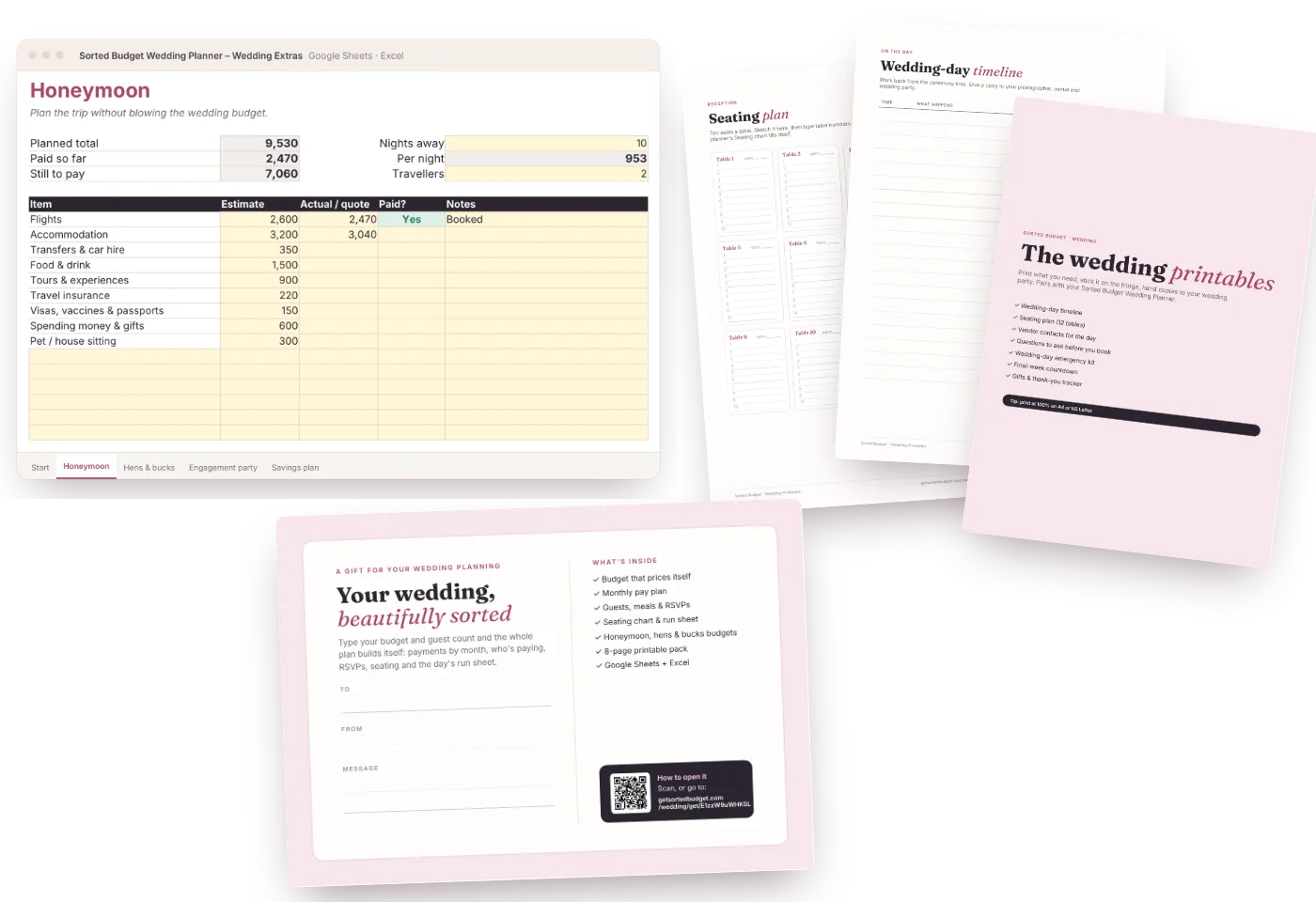
- Extras workbook: honeymoon, hens & bucks, engagement party, savings plan
- 8-page printable pack: day-of timeline, seating plan, vendor contacts, questions to ask, emergency kit, final week, gifts & thank-yous
- Printable gift card
Secure checkout by Stripe. Instant download. 30-day fix-it-or-refund guarantee.
Questions
Is it overkill for a small wedding?
No. Leave the rows you don’t need at zero (or turn suggestions off on Start). Most small weddings use the Budget, Pay plan and Wedding day tabs and ignore the rest.
Can I use it for an elopement with no guests?
Yes. Set guests to 2. Per-guest costs then cover just the two of you, and the run sheet works for a ceremony, photos and dinner.
Does it work in my currency?
Yes. Pick $, £, €, A$, C$, NZ$ or type your own symbol on the Start tab.
Is this a Google Sheet or an Excel file?
Both are included. You get a Google Sheets version (it goes into your own Google Drive) and an Excel file for Excel on Windows or Mac. Plain formulas only: no macros, scripts or add-ons.
How long does it take to set up?
About 5 minutes to a first plan. Type your names, date, budget and guest count on the Start tab and every budget line gets a suggested amount. Add guests and real prices as you go.